Usage of the useRef() Hook in React
By Hemanta Sundaray on 2021-06-26
In React, we use refs to access and manipulate DOM nodes.
Creating refs
In function components, we can create refs using the useRef() hook.
useRef() creates a JavaScript object that has a current property.
Accessing refs
After creating refs, we attach them to React elements that we want to get access to, using the ref attribute. Then we can access the underlying DOM node at the ref’s current property.
Use cases
One of the good use cases of using refs is to manage focus.
Let’s say you have an application in which you have a Login component that renders a login form. Whenever the Login page loads, you want the email input box to be always in autofocus. We can achieve this using refs.
Below, we have a Login component, styled using Bootstrap classes.
import React from "react";

const Login = () => {

  return (
    <div className="col-md-4 mx-auto mt-5">
      <form>
        <div className="form-group mb-3">
          <label for="inputEmail">Email Address</label>
          <input
            type="email"
            id="inputEmail"
            className="form-control"
            placeholder="Enter Email"
          />
        </div>
        <div className="form-group mb-3">
          <label for="inputPassword">Password</label>
          <input
            type="password"
            id="inputPssword"
            className="form-control"
            placeholder="Enter Password"
          />
        </div>
        <button type="submit" className="btn btn-primary">
          Submit
        </button>
      </form>
    </div>
  );
};

export default Login;
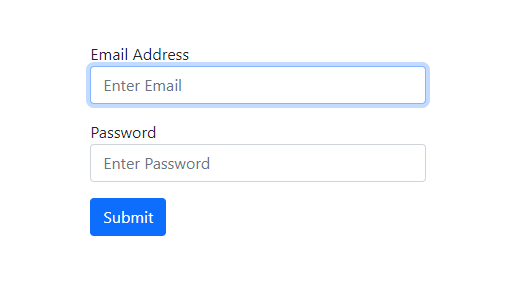
The Login component when rendered looks like this:
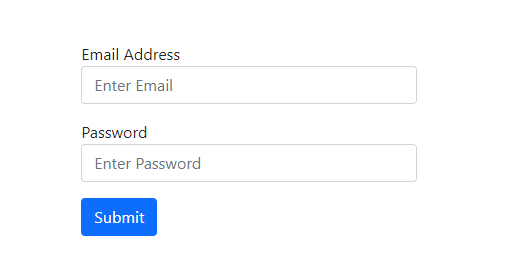
Now, add the highlighted code snippets in the Login.js file.
import React, { useEffect, useRef } from "react";

const Login = () => {
  const inputEmailRef = useRef();

  useEffect(() => {
    inputEmailRef.current.focus();
  }, []);

  return (
    <div className="col-md-4 mx-auto mt-5">
      <form>
        <div className="form-group mb-3">
          <label for="inputEmail">Email Address</label>
          <input
            type="email"
            id="inputEmail"
            className="form-control"
            placeholder="Enter Email"
            ref={inputEmailRef}
          />
        </div>
        <div className="form-group mb-3">
          <label for="inputPassword">Password</label>
          <input
            type="password"
            id="inputPssword"
            className="form-control"
            placeholder="Enter Password"
          />
        </div>
        <button type="submit" className="btn btn-primary">
          Submit
        </button>
      </form>
    </div>
  );
};

export default Login;
Let’s understand the code snippets we have added.
LINE 1: We import the useRef hook from React.
LINE 4: We create a ref named inputEmailRef using the useRef() hook. We know that useRef() creates a JavaScript object that has a current property. We can check this by logging the value of inputEmailRef to the console.
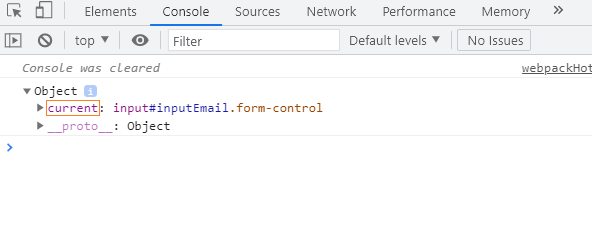
LINE 20: We associate inputEmailRef to the email input element by passing it as the value of the ref attribute.
LINE 8: Inside useEffect(), we use the focus() method to add focus to the email input box. Now, whenever the Login component mounts, React will assign the current property to the DOM element.
Now, whenever the Login page loads, the email input box will always be in autofocus.