Objects vs Primitives in JavaScript
By Hemanta Sundaray on 2021-05-26
We know that JavaScript has six primitive data types: string, number, boolean, undefined, null and symbol. A primitive is data that is not an object and has no methods.
We also know that in JavaScript, except the primitive data types, everything is an object. An Object is an object. An array is an object. A function is an object and so on.
To understand some of the key differences between objects and primitives, let’s start with an example:
let topScore = 90
let myScore = topScore
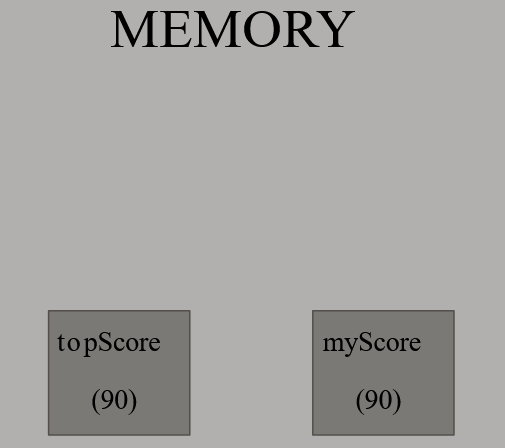
On line 1, when topScore variable is created JavaScript engine creates a new space in memory and saves the value of topScore as 90. On line 2, we have a different variable called myScore whose value is equal to the value of the topScore variable. In this case, JavaScript creates a different space in memory and copies the value of the topScore variable. As a result, we have two different spaces in memory and both the variables have the same value.
topScore = 100

console.log(topScore) // 100

console.log(myScore) // 90
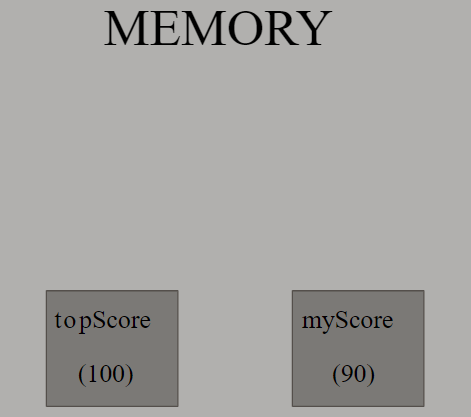
Now if we assign the topScore variable a different value, the value of myScore variable doesn't change because myScore variable points to a different space in memory than the topScore variable.
When we deal with objects, something different happens though. Consider the following example:
let phone = {
  brand: "Apple",
}

let cellphone = phone
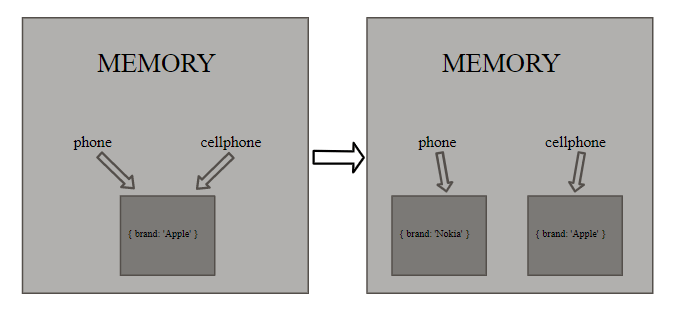
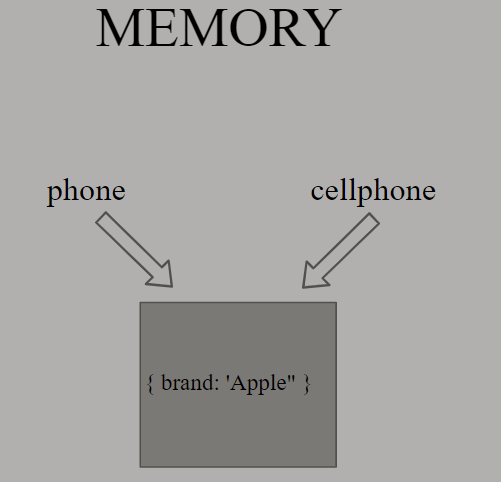
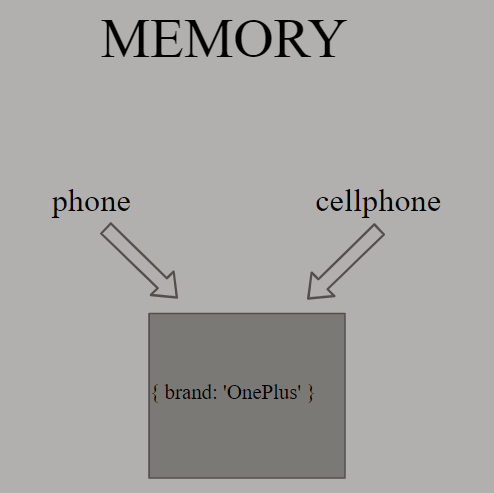
On line 1, we have defined an object, during the creation of which JavaScript engine creates new space in memory. On line 5, the value of the cellphone variable is equal to the value of the phone variable. In this case, unlike primitives, Javascript engine doesn't create new space for the cellphone variable. In other words, the cellphone variable doesn't copy the value of the phone variable. Both the variables - phone and cellphone - become references for the same object in memory.
Let's assign the brand property a new value using the dot operator.
phone.brand = "OnePlus"

console.log(phone.brand) // OnePlus

console.log(cellphone.brand) // OnePlus
Now, if we check the value of the brand property of both the phone and cellphone variables, we get the same result - OnePlus - in both the cases.
let phone = {
  brand: "Apple",
}
let cellphone = phone
phone = {
  brand: "Nokia",
}
console.log(phone.brand) // Nokia

console.log(cellphone.brand) // Apple
However, if we assign the phone variable a new object using the equal (=) sign (line 5), then JavaScript will create new space in memory. And if we log the value of the brand property of both the phone and cellphone variables, we get different results as shown below: