Writing Excel Files Using Pandas
By Hemanta Sundaray on 2021-08-06
Writing a single DataFrame
We can write a DataFrame to an Excel file using the to_excel method. We can pass a value to the sheet_name parameter to name the worksheet inside the workbook.
Example:
import pandas as pd

seasons = pd.DataFrame(["Spring Summer", "Autumn Winter"])

seasons.to_excel("retail_season.xlsx", sheet_name="seasons", index=False)
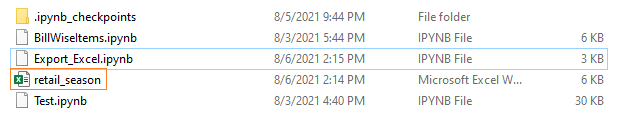
Executing the code snippet above creates a file named retail-season.xlsx.
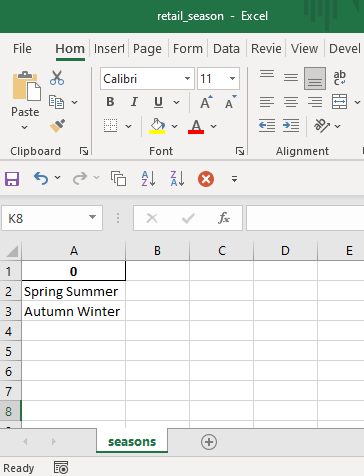
Inside the retail-season.xlsx file, we have a worksheet named seasons.
Writing multiple DataFrames
We can write more than one DataFrame to a single Excel file (each DataFrame object on a separate worksheet) using the ExcelWriter object along with the with keyword.
In the code snippet below, we write two DataFrame objects (zones & lines) to two different worksheets(zones & lines) in one Excel file:
import pandas as pd

zones = pd.DataFrame(["East", "West", "North", "South"])
lines = pd.DataFrame(["Menswear", "Womenswear", "Kidswear", "Accessories"])

with pd.ExcelWriter("retail.xlsx") as writer:
    zones.to_excel(writer, sheet_name="zones", index=False)
    lines.to_excel(writer, sheet_name="lines", index=False)
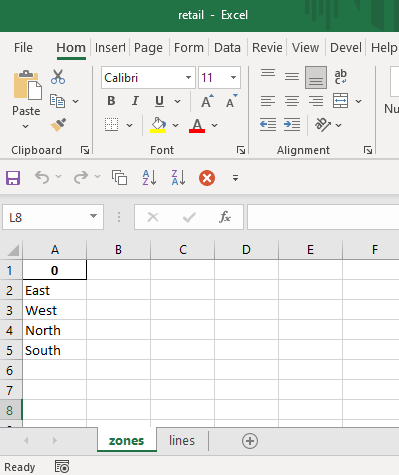
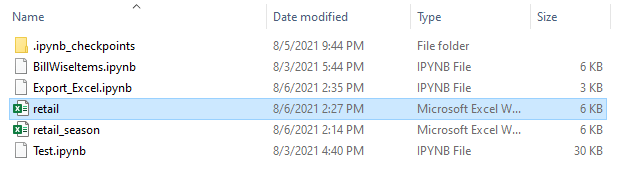
Executing the code snippet above creates a file named retail.xlsx.
Inside retail.xlsx, we have two worksheets: zones & lines