Using the useReducer Hook for State Management in React
By Hemanta Sundaray on 2021-06-28
In React, we can manage application state using two hooks: useState & useReducer.
Note: The
useContexthook is NOT a state management tool. It’s a mechanism to broadcast data to components that need them, avoiding the need to manually pass props down at every intermediate level of the component tree.
We use useReducer when we have complex state logic where the next state depends on the previous one.
Syntax
const [state, dispatch] = useReducer(reducer, initialState);The first argument to useReducer is a reducer function. The second argument is the initial state of the application. It returns the current state and a dispatch method.
If you have used Redux, then you must be familiar with the concepts of dispatching actions and reducer functions.
Here is the refresher:
-
A reducer is a function that receives the current state and an action object, decides how to update the state and returns the new state -
(state, action) => new state. You can think of the reducer function as an event listener which handles events based on the action type. -
An action is an event that describes something that happened in our application. Clicking on the submit button of a login form, for example, is an example of an event. An action is represented as a plain JavaScript object This object contains two fields: a
typefield that represents the type of the event and apayloadfield that contains any additional information that we want to pass to the reducer function.
Now, let’s understand how useReducer works with the help of an example.
Below, we have a Contacts component that maps through an array of contacts and renders a list along with delete buttons next to each of the contact names.
import React from "react";

const initialState = [
  { id: 1, firstName: "Ricky" },
  { id: 2, firstName: "Alice" },
  { id: 3, firstName: "John" },
];

const Contacts = () => {
  return (
    <div className="col-md-4 m-5">
      {initialState.map(({ id, firstName }) => (
        <div className="mb-3" key={id}>
          <h3>{firstName}</h3>
          <button
            className="btn btn-sm btn-danger m-2"
          >
            delete
          </button>
        </div>
      ))}
    </div>
  );
};

export default Contacts;
The resulting UI looks like this:
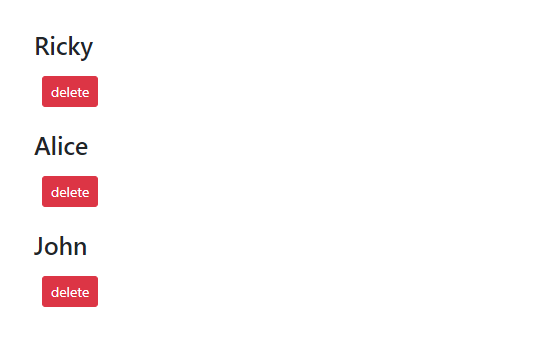
The delete button does not do anything yet.
Next, add the highlighted code snippets.
import React, { useReducer } from "react";

const initialState = [
  { id: 1, firstName: "Ricky" },
  { id: 2, firstName: "Alice" },
  { id: 3, firstName: "John" },
];

const reducer = (state, { type, payload }) => {
  if (type === "delete") {
    return state.filter((contact) => contact.id !== payload);
  } else {
    return state;
  }
};

const Contacts = () => {
  const [state, dispatch] = useReducer(reducer, initialState);

  return (
    <div className="col-md-4 m-5">
      {state.map(({ id, firstName }) => (
        <div className="mb-3" key={id}>
          <h3>{firstName}</h3>
          <button
            className="btn btn-sm btn-danger m-2"
            onClick={() => dispatch({ type: "delete", payload: id })}
          >
            delete
          </button>
        </div>
      ))}
    </div>
  );
};

export default Contacts;
Let’s understand the code snippets that we have added.
LINE 1: We import the useReducer hook.
LINE 27: Whenever we click on the delete button, we pass an action (a JavaScript object) as an argument to the onClick event listener. The value of the type field is delete. You can name the action type anything you want; however it is always better to give it a descriptive name. To delete a specific contact, we want its id, which we pass as the value of the payload field.
LINE 9-15: Then in the reducer function, we use JavaScript’s filter method (an array iterator method) to filter the contact that we want to delete from the initial state.
Now, click on any delete button next to any contact name and that specific contact gets deleted.
I have never used useReducer as a state management tool in any of the React apps that I have built so far. Redux Toolkit does the job for me. Let’s see if I ever get to use this hook.