Understanding dangerouslySetInnerHTML in React
By Hemanta Sundaray on 2021-07-07
Below, when the App component is rendered, we would expect to see the text All Rights Reserved in bold.
import React from "react"

const App = () => {
  const text = "<strong>All Rights Reserved</strong>"
  return <div className="m-5">{text}</div>
}

export default App
Instead, what we see is the regular text with <strong> HTML tags.
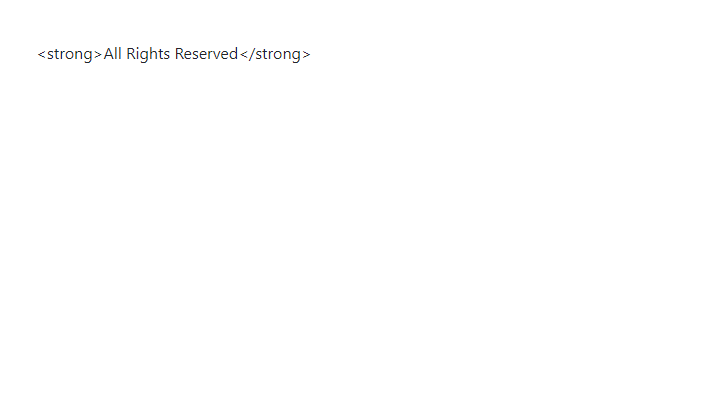
This is because React escapes all the HTML entities in JSX expressions. This is a security feature that prevents XSS injection.
Cross-Site-Scripting (XSS) is a security vulnerability when the user is able to inject your page with their own code (HTML, CSS and/or JavaScript).
How can we then override this behavior?
We can do so by adding a prop called dangerouslySetInnerHTML, which accepts an object {__html: text}, which is wrapped with an expression { }. Note that the key __html is with two underscores.
Let’s update the App component as follows:
import React from "react"

const App = () => {
  const text = "<strong>All Rights Reserved</strong>"
  return <div className="m-5" dangerouslySetInnerHTML={{ __html: text }} />
}

export default App
Now, we get our desired output:

I have come across the usage of dangerouslySetInnerHTML in Gatsby, a front-end framework powered by React & GraphQL.
Here is a code snippet from my Gatsby blog (the blog you are reading now ) that uses dangerouslySetInnerHTML (line 7).
<div>
  <div className="single_post_page">
    <h1>{post.frontmatter.title}</h1>
    <p className="single_post_page_publishing_details">
      By Hemanta Sundaray on {post.frontmatter.date}
    </p>
    <div dangerouslySetInnerHTML={{ __html: post.html }} />
  </div>
  <div className="pagination">
    {prev && (
      <Link to={prev.fields.slug}>
        {" "}
        <FontAwesomeIcon icon={faArrowLeft} /> Previous
      </Link>
    )}
    {next && (
      <Link to={next.fields.slug}>
        Next <FontAwesomeIcon icon={faArrowRight} />
      </Link>
    )}
  </div>
</div>