The Is Family of Functions in Excel VBA
By Hemanta Sundaray on 2021-09-12
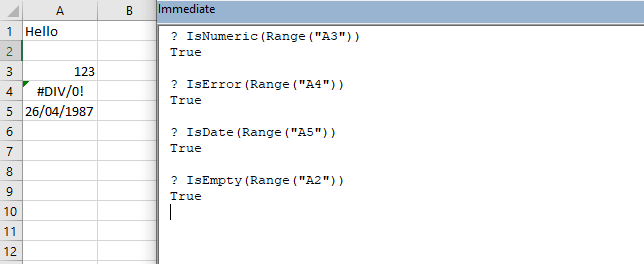
IsNumeric()
Returns a Boolean value indicating whether an expression can be evaluated as a number.
IsEmpty()
The IsEmpty function returns a Boolean value that indicates whether a single cell is empty: True if empty, False if not. The cell must truly be empty for the function to return True. If it contains even just a space that you cannot see, Excel does not consider the cell to be empty.
IsDate
Returns True if the expression is a date or is recognizable as a valid date or time; otherwise, it returns False.
IsError
Returns a Boolean value indicating whether an expression is an error value.