Sort a Pandas DataFrame Using the sort.values() Method
By Hemanta Sundaray on 2021-08-07
Let’s read an Excel file into a DataFrame:
import pandas as pd

budget = pd.read_excel("budget.xlsx")

budget
Output:
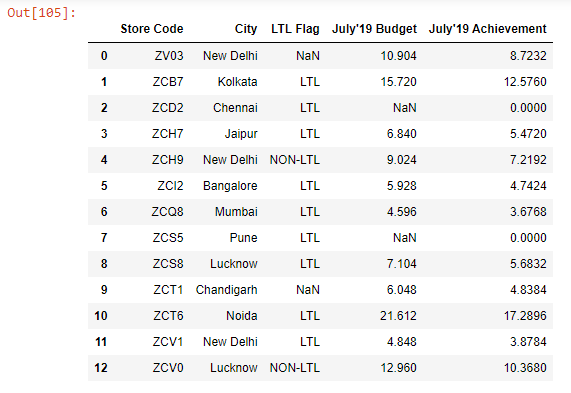
Let’s say we want to sort the July’19 Budget column.
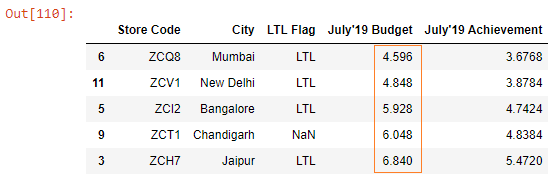
We can sort the column using the sort_values method.
We pass the name of the column we want to sort to the by parameter. And we pass inplace = True to make permanent changes in the budget DataFrame.
budget.sort_values(by = "July'19 Budget",  inplace = True)

budget.head()
Output:
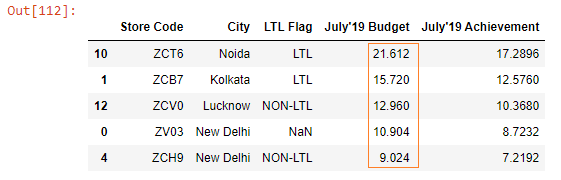
By default, the sort_values() method sorts the values in ascending order. If we want to sort in descending order, then we pass a value of False to the ascending parameter.
budget.sort_values(by = "July'19 Budget", ascending = False, inplace = True)

budget.head()
Output: