Set New Values For a Cell or Cells in Pandas
By Hemanta Sundaray on 2021-08-31
Let’s import an Excel workbook into a Dataframe:
import pandas as pd

data = pd.read_excel('budget.xlsx')

data
Output:
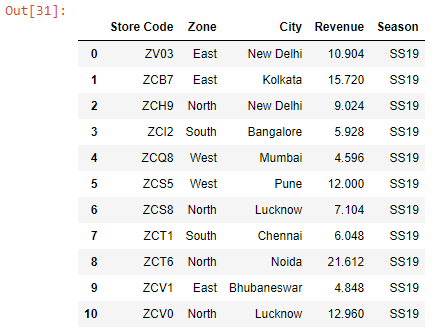
There is a mistake in the Dataframe. The zone for the store ZV03, located in New Delhi, should be North, not East. Let’s fix this:
Note that the value we want to change sits at the intersection of row with index position 0 and column labelled Zone.
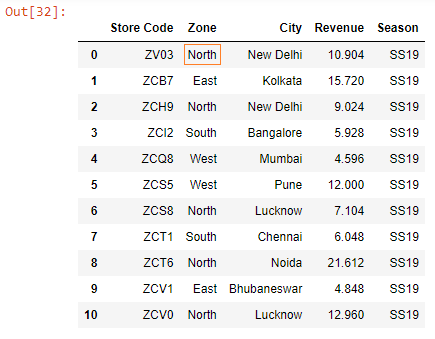
data.loc[0, 'Zone'] = 'North'

data
Output:
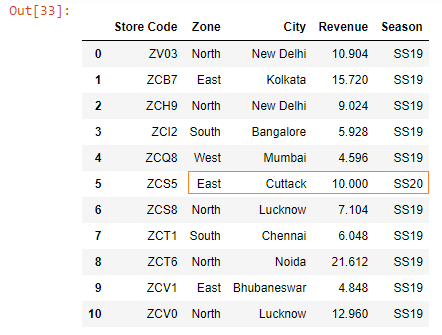
We can also set new values for a range of cells, as shown below:
data.loc[5, ['Zone', 'City', 'Revenue', 'Season']] = ['East', 'Cuttack', 10, 'SS20']

data
Output: