Renaming Columns in a DataFrame in Pandas
By Hemanta Sundaray on 2021-08-06
Below, we have read an Excel file into a DataFrame.
import pandas as pd

budget = pd.read_excel("budget.xlsx")
budget.head()
Output:
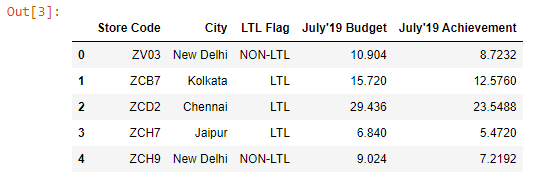
Let’s say we want to rename Store Code to SAP Code and LTL Flag to LTL. We can do so using the rename() method.
budget.rename(columns={"Store Code" : "SAP Code", "LTL Flag" : "LTL"}, inplace = True)We pass a Python Dictionary to the columns parameter.
The keys of the dictionary are the column names that we want to change and the values are the names that we want the column names to change to. In addition, we pass inplace = True in order to make the change permanent.
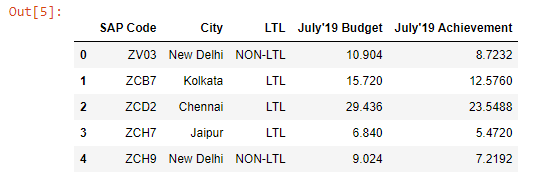
Now, if we preview the budget DataFrame, we can see that the column names are changed.
budget.head()