Referencing Tables in Excel VBA
By Hemanta Sundaray on 2021-09-12
Let’s say we have the following data set in a table.
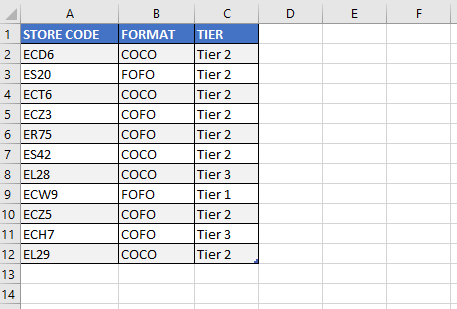
We can reference the table as ActiveSheet.Range("store_details").Select. (store_details is the name of the table.)
However, we have access to more of the properties and methods that are unique to tables if we use the ListObjects object.
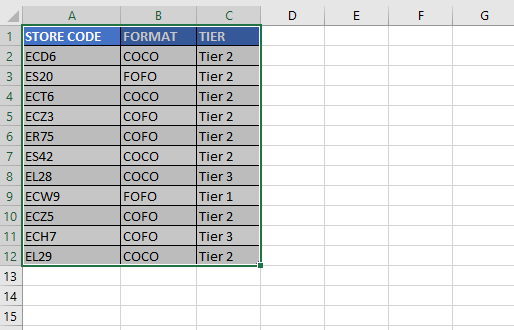
Range
Sub TableDemo()

ActiveSheet.ListObjects(1).Range.Select

End Sub
Result:
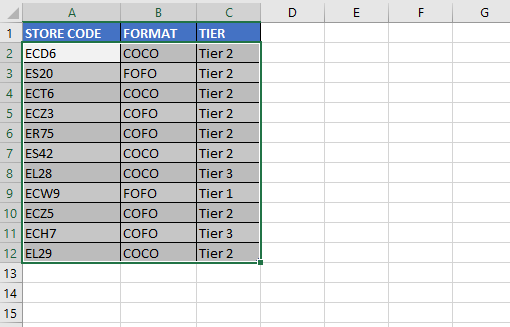
DataBodyRange
Sub TableDemo()

ActiveSheet.ListObjects(1).DataBodyRange.Select

End Sub
Result:
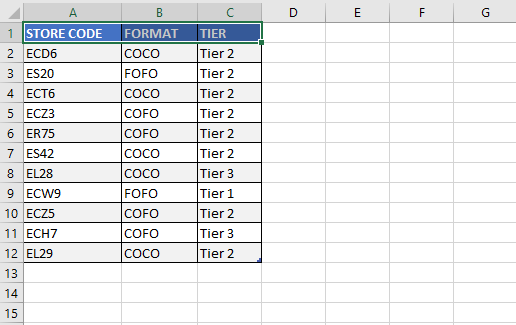
HeaderRowRange
Sub TableDemo()

ActiveSheet.ListObjects(1).HeaderRowRange.Select

End Sub
Result:
Referencing specific columns
We can reference a specific column using the header name of the column.
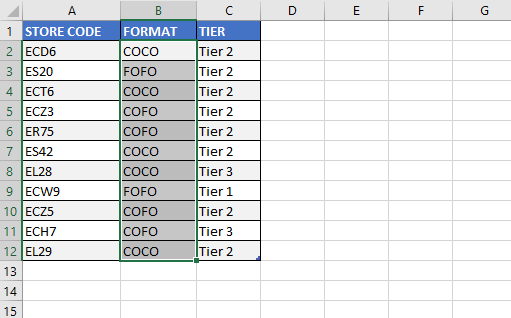
The following example selects only the data of the FORMAT column of the table.
Sub TableDemo()

ActiveSheet.ListObjects(1).ListColumns("FORMAT").DataBodyRange.Select

End Sub
Result:
Convert a table to range
The following procedure converts the table in the active sheet to range.
Sub TableToRange()
 Dim wrksht As Worksheet

 Set wrksht = ActiveSheet

 wrksht.ListObjects(1).Unlist
End Sub