Pandas set_index() & reset_index() Methods
By Hemanta Sundaray on 2021-08-10
set_index()
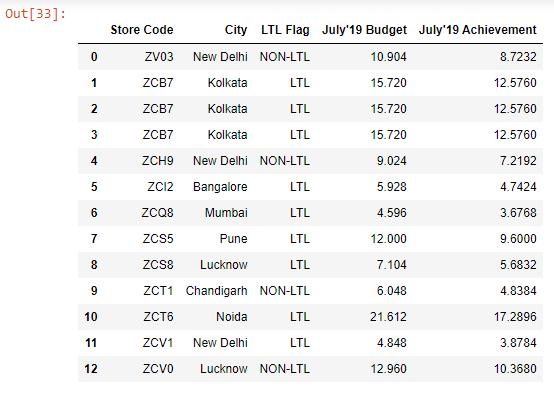
Let’s read the budget.xlsx file into a DataFrame:
import pandas as pd

budget = pd.read_excel("budget.xlsx")

budget
Output:
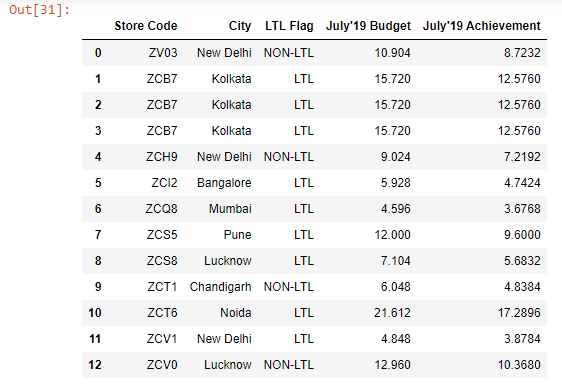
Let’s say we want the Store Code column to serve as the index of our DataFrame. We can achieve this using the set_index() method:
budget.set_index(keys="Store Code", inplace=True)

budget
Output:
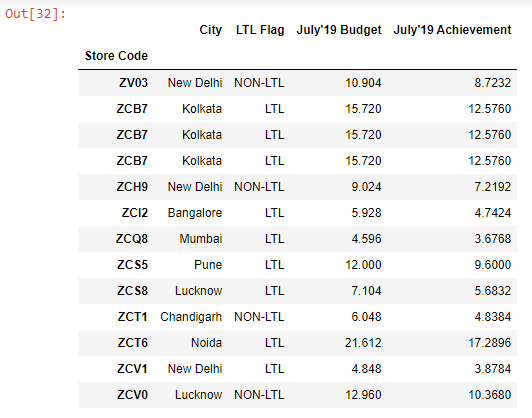
As we can see above, the Store Code column is no longer a regular column in our DataFrame - it has become the new index.
reset_index()
There is a complementary method called reset_index(), which moves the current index back into a column position and creates a brand new numeric pandas index.
budget.reset_index()Output: