Pandas - Retrieve Rows With .loc[]
By Hemanta Sundaray on 2021-08-31
Let’s first read an Excel workbook into a DataFrame:
import pandas as pd

data = pd.read_excel('budget.xlsx')

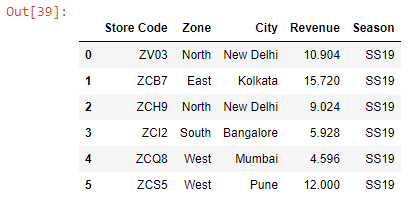
data.head()
Output:
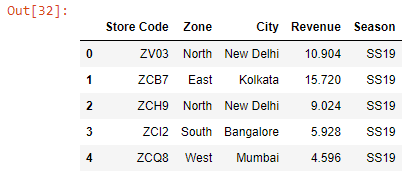
Note that we have a numeric index.
We can retrieve a single row by passing the index of the row inside the square brackets.
data.loc[0]Output:
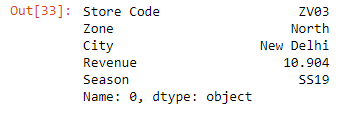
As we can see, when we retrieve a single row, we get the result as a Series.
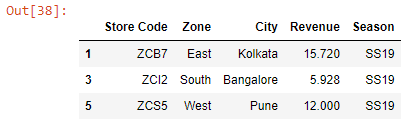
We can retrieve non-sequential rows by passing a list of their index numbers inside the square brackets.
data.loc[[1, 3, 5]]Output:
We can retrieve a subset of rows using the slicing technique.
The slicing syntax is [start:end], where both the start and the end are inclusive, unlike in Python where the start is inclusive but the end is exclusive.
data.loc[:5]Output:
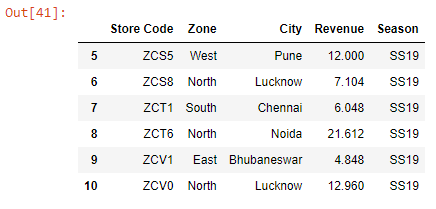
data.loc[5:]Output: