Pandas nlargest() & nsmallest() Methods
By Hemanta Sundaray on 2021-08-10
nlargest()
Let’s read the budget.xlsx workbook into a DataFrame:
import pandas as pd

budget = pd.read_excel("budget.xlsx")

budget
Output:
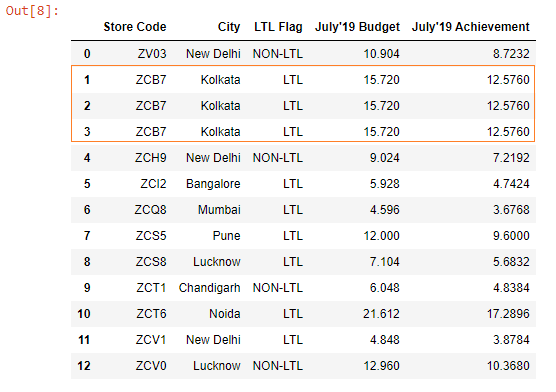
Our DataFrame has duplicate rows. We will remove them using the drop_duplicates() method.
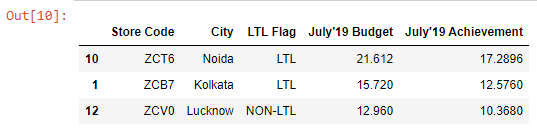
budget.drop_duplicates(inplace=True)Let’s say we want to find out the top 3 stores with the highest July’19 budget.
We can do so using the nlargest() method, which returns the first n rows ordered by columns in descending order.
The first argument that we pass to the method is the no. of rows we want to extract. The second argument is the name of the column to order by.
budget.nlargest(3, columns="July'19 Budget")Output:
nsmallest()
Returns the first n rows ordered by columns in ascending order.
nsmallest() is the complementary method to nlargest().
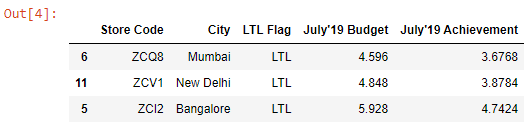
In the following code example, we find out the bottom 3 stores with the lowest July’19 budget.
budget.nsmallest(3, columns="July'19 Budget")Output: