Pandas - isnull() & notnull()
By Hemanta Sundaray on 2021-08-08
First, let’s read an Excel file into a DataFrame.
import pandas as pd

budget = pd.read_excel("budget.xlsx")

budget
Output:
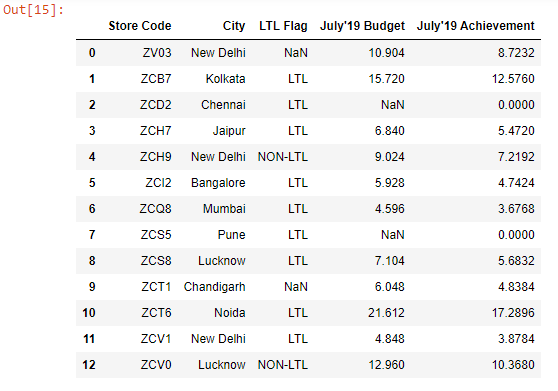
Let’s say we want to return the rows where the values in the July’19 Budget column are null.
We can do so using the isnull() method.
condition1 = budget["July'19 Budget"].isnull()

condition1
Output:
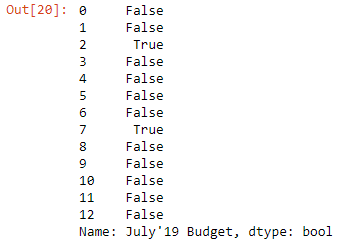
The method returns a boolean Series.
Then we extract the rows by passing the condition variable inside the square brackets.
budget[condition1]Output:

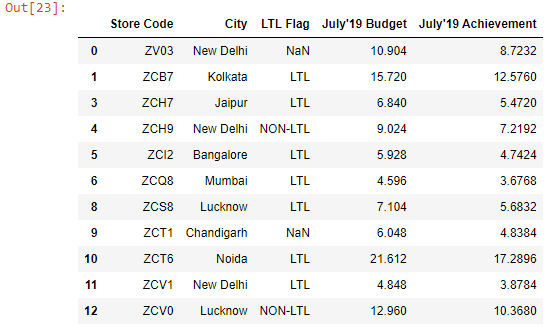
There is a complementary method called notnull() that returns the non-null values.
condition2 = budget["July'19 Budget"].notnull()

budget[condition2]