Pandas - Extracting Year, Month, Day & Quarter From a Date
By Hemanta Sundaray on 2021-08-15
Let’s read the budget.xlsx file into a DataFrame:
import pandas as pd

data = pd.read_excel("budget.xlsx", parse_dates=["Opening Date"])

data
Output:
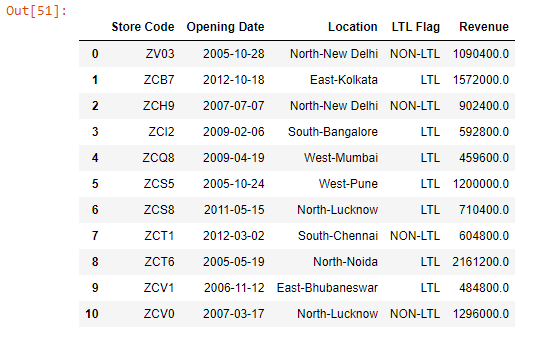
Let;s return the data type of each column using dtypes:
data.dtypesOutput:
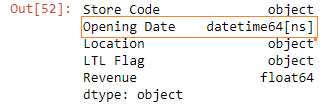
The Opening Date column contains datetime objects.
We can extract various parts from the date - year, month, date & quarter - using Pandas dt, which is the accessor object to the datetime properties of a Pandas Series.
Note that the
dtaccessor object works only withdatetimedata types.
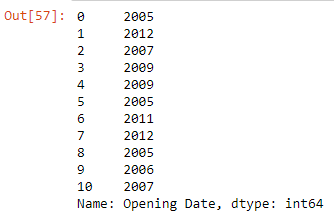
data["Opening Date"].dt.yearOutput:
data["Opening Date"].dt.monthOutput:
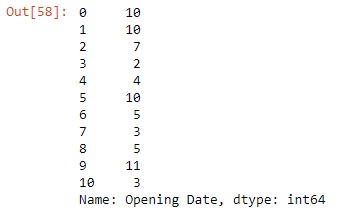
data["Opening Date"].dt.dayOutput:
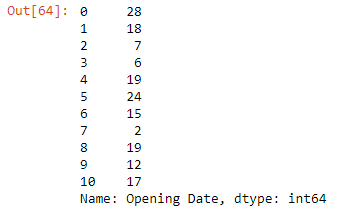
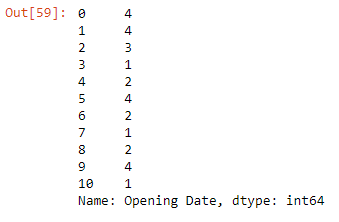
data["Opening Date"].dt.quarterOutput: