Pandas - Add Multiple New Columns at Once to a Dataframe
By Hemanta Sundaray on 2021-09-06
In pandas, we can add multiple new columns at once to a dataframe using the assign() method.
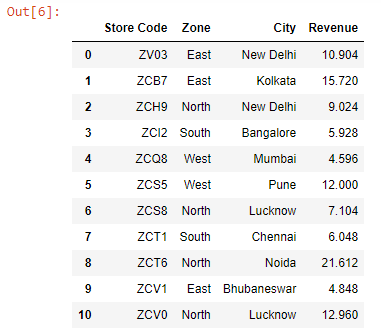
Let’s read an Excel worksheet into a pandas dataframe:
import pandas as pd

data = pd.read_excel("budget.xlsx")

data
Output:
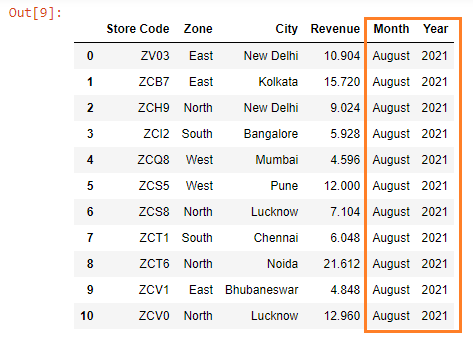
Let’s add two new columns - Month & Year - to the dataframe above.
The arguments we pass to the assign() method are the names of the columns we want to create (or overwrite) and the values are the data for the columns.
Note:
assign()does not change our original dataFrame; instead, it creates a new DataFrame object with the columns added.
data = data.assign(Month='August', Year=2021)

data
Output: