Multidimensional Arrays in Excel VBA
By Hemanta Sundaray on 2021-09-12
In Excel VBA, we can create an array that can have as many as 60 dimensions. However, we will focus only on creating 2-dimensional arrays.
The following example declares a 2-dimensional array.
Dim MyArray (1 To 5, 1 To 5) As IntegerWe can think of this array as occupying a 5 x 5 matrix.
We can refer to a specific element in this 2-dimensional array by specifying two index numbers: its row and its column in the matrix.
Example:
Sub ArrayDemo()

Dim numbers(1 To 5, 1 To 5) As Integer

Dim i As Integer
Dim j As Integer

For i = 1 To 5
    For j = 1 To 5
        numbers(i, j) = 2
    Next j
Next i

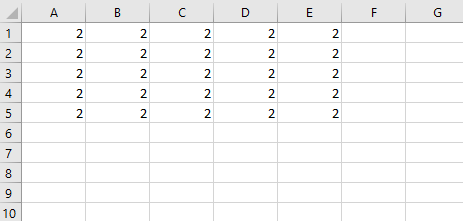
Range("A1:E5").Value = numbers

End Sub
Output: