Implementing a Tree Data Structure in JavaScript
By Hemanta Sundaray on 2021-07-25
A tree is a node-based data structure. A node holds data and a reference to all of its children.
Unlike a linked list (which is also a node-based data structure), within a tree, each node can have links to multiple nodes.
Here is a visualization of a simple tree:
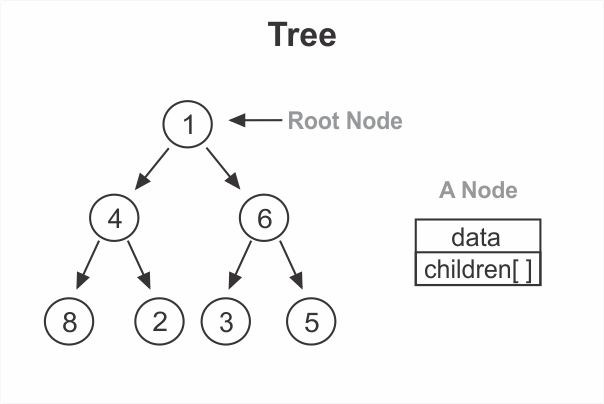
Root
The uppermost node (in our example, 1) is called the root.
Parent & Children
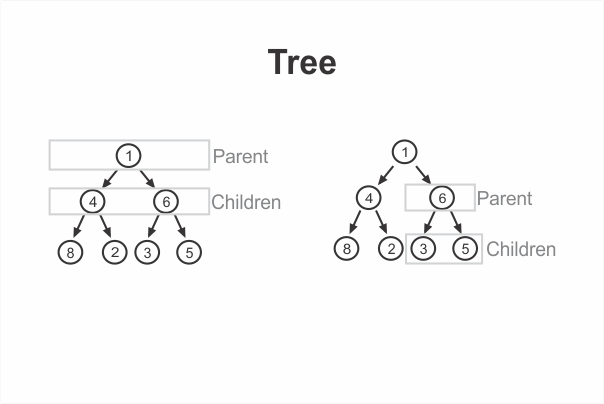
In our example, we’d say that the 1 is a parent to 4 and 6. Conversely, 4 and 6 are children of 1. Similarly, 6 is a parent of 3 and 5, and 3 and 5 are children of 6.
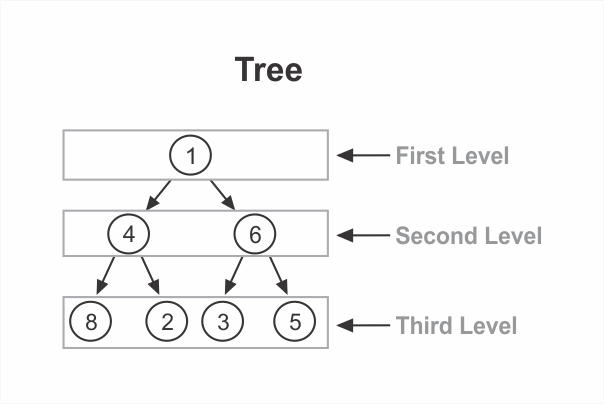
Levels
Trees are said to have levels. Each level is a row within the tree. Our example tree has three levels:
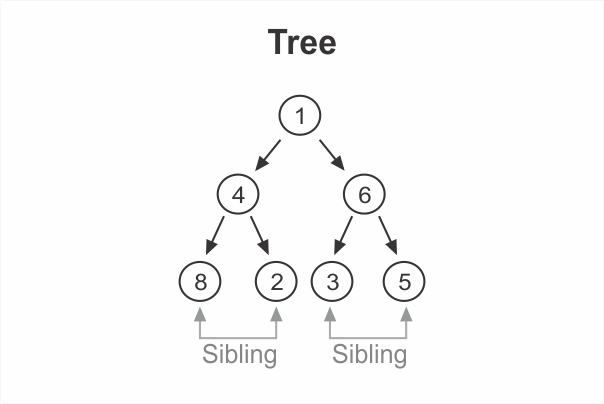
Sibling
Nodes that are at the same level and share a common parent are siblings of each other.
Creating a Node class
Directions
Create a Node class. The constructor should accept an argument that gets assigned to the data property and initialize an empty array for storing children. The Node class should have two methods: add & remove.
Given some data, the add() method should create a new node and add it to the current node’s children array.
Given some data, the remove() method should look at each child of the current node and remove any node with data === data.
class Node {
  constructor(data) {
    this.data = data
    this.children = []
  }

  add(data) {
    this.children.push(new Node(data))
  }

  remove(data) {
    this.children = this.children.filter(node => node.data !== data)
  }
}

const node = new Node(10)

console.log(node)
// { data: 10, children: [] }

node.add(20)

node.add(30)

console.log(node)
// {data: 10, children: [ { data: 20, children: [] }, { data: 30, children: [] } ]}

node.remove(30)

console.log(node)
// { data: 10, children: [ { data: 20, children: [] } ] }
Creating a Tree class
Directions
Create a Tree class. The constructor should initialize a root property to null.
class Tree {
  constructor() {
    this.root = null
  }
}
const tree = new Tree()

tree.root = node

console.log(tree)
// Tree { root: { data: 10, children: [ { data: 20, children: [] } ] } }
You might be interested in the following blog posts: