How to Build an Express/GraphQL Server - Part 1?
By Hemanta Sundaray on 2021-06-06
Application architecture
The overall architecture of the application that we are going to build in this blog series is as follows:
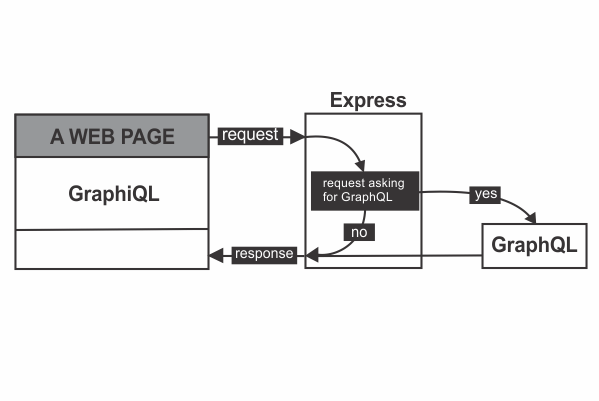
We will use GraphiQL, a browser-based editor to explore and test GraphQL requests. We will use Express to create a web server to listen for incoming HTTP requests.
Express will run a check on every request sent by the client and figure out whether the request is asking for GraphQL. If yes, Express will then hand over the request to GraphQL, which will do its processing (communicate with a database or a third-party API for example), put together a response and return the response back to Express, which in turn will forward the response back to the client.
If the request is not asking for GraphQL, then Express will do the necessary processing and send back the response to the client.
It's important to note that GraphQL is a small part of our Express application; its not the entire application.
Let's start building our application.
Create a folder on the desktop named gql-app. Open the folder in VS Code or any other code editor of your choice.
Inside gql-app, create a directory called server, and inside the server directory create a file named index.js.
Then initialize the server directory with npm init y.
PS C:\Users\Delhivery\Desktop\gql-app\server> npm init -yThen install the following 5 packages.
PS C:\Users\Delhivery\Desktop\gql-app\server> npm i express graphql express-graphql lodash nodemon-
express-graphql: This module provides a simple way to create an Express server that runs a GraphQL API. By default, Express and GraphQL are not compatible. Theexpress-graphqlpackage will act as a glue layer between Express and GraphQL, so that they can work with each other. -
express: We will use Express to create a web server, which will listen for incoming HTTP requests. -
graphql: The GraphQL library used to crawl through our data. -
lodash: A JavaScript library that contains utility functions. -
nodemon: It will automatically restart our Express application when file changes are detected in the directory.
Then inside the scripts section of the package.json file, add the following highlighted line in order for nodemon to take effect.
{
  "name": "server",
  "version": "1.0.0",
  "description": "",
  "main": "index.js",
  "scripts": {
    "start":"nodemon index.js"
  },
  "keywords": [],
  "author": "",
  "license": "ISC",
  "dependencies": {
    "express": "^4.17.1",
    "express-graphql": "^0.12.0",
    "lodash": "^4.17.21",
    "nodemon": "^2.0.7"
  }
}
Creating an Express web server
Inside the index.js file, paste the following code.
const express = require("express");

const app = express();

const PORT = 5000;

app.listen(PORT, () => {
  console.log(`Server listening on http://localhost:${PORT}`);
});
Start the server using the following command:
PS C:\Users\Delhivery\Desktop\gql-app\server> npm startYou should see the following output in the console.
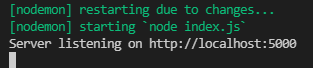
Now our server is succcessfully listening on port 5000.
Registering GraphQL with Express
Update the index.js file with the highlighted code snippets.
const express = require("express");
const expressGraphQL = require("express-graphql").graphqlHTTP;

const app = express();

app.use(
  "/graphql",
  expressGraphQL({
    graphiql: true,
  })
);

const PORT = 5000;

app.listen(PORT, () => {
  console.log(`Server listening on http://localhost:${PORT}`);
});
On line 2, we have required in the express-graphql library.
We use app.use() to add middleware libraries into the request handling chain.
On line 6, we have mounted a GraphQL API server on the /graphql HTTP endpoint using the express-graphql library. This tell Express that requests coming to the /graphql endpoint will be handled by the express-graphql library. We provide a configuration object to the expressGraphQL function and add the graphiql property with a value of true.
Now, if we navigate to http://localhost:5000/graphql, we get an error message that says GraphQL middleware options must contain a schema.
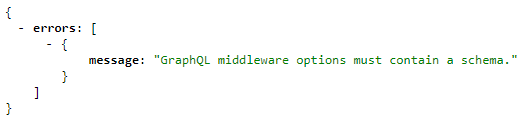
In part-2, we will work on building our GraphQL schema and add it to the expressGraphQL middleware in order to get rid of the error message.
Go to part-2