Filter a Pandas DataFrame Using the query() Method
By Hemanta Sundaray on 2021-08-16
Let’s read an Excel workbook into a DataFrame:
import pandas as pd

data = pd.read_excel("budget.xlsx")

data
Output:
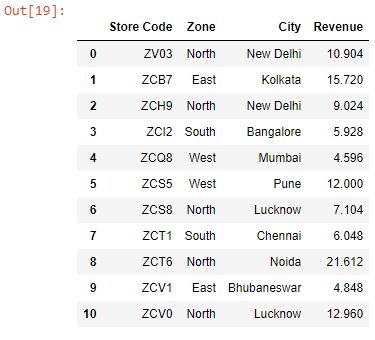
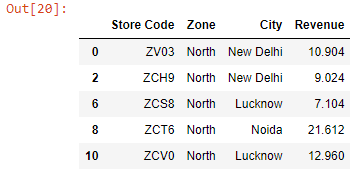
Let’s say we want to filter all the stores located in the North zone. We can do so using the query() method as shown below:
data.query("Zone == 'North'")Output:
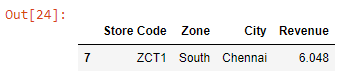
Next, let’s filter the store ZCT1:
data.query('`Store Code` == "ZCT1"')Output:
Note: A column name that contains spaces must be surrounded by backticks. This is the reason why the column name
Store Codeis surrounded by backticks (` `).