Creating Python Lists Using List Comprehension
By Hemanta Sundaray on 2021-08-18
We can create a list in Python simply by writing comma separated values (items) in square brackets.
Example:
name = ['hemanta', 'kumar', 'sundaray']We can also create a list using a for loop.
Example:
squared = []

for num in range(5):
    squared.append(num * num)

print(squared)
# [0, 1, 4, 9, 16]
We can create the list we created in the code example above (using for loop) in fewer lines of code using list comprehension.
We create a list comprehension with square brackets that contain an expression followed by a for clause followed by zero or more for or if clauses.
Example:
squared = [num * num for num in range(5)]

print(squared)
# [0, 1, 4, 9, 16]
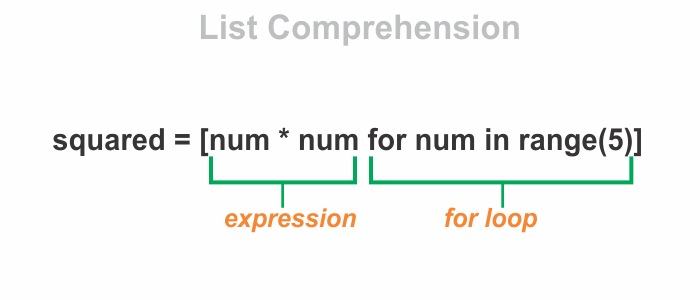
As we can see, list comprehension is concise and more readable.
Let’s create another list - this time however, we will include an if clause after the for loop in order to define a condition.
squared = [num * num for num in range(5) if num % 2 == 0]

print(squared)
# [0, 4, 16]